Free demo · 3 elements unlocked
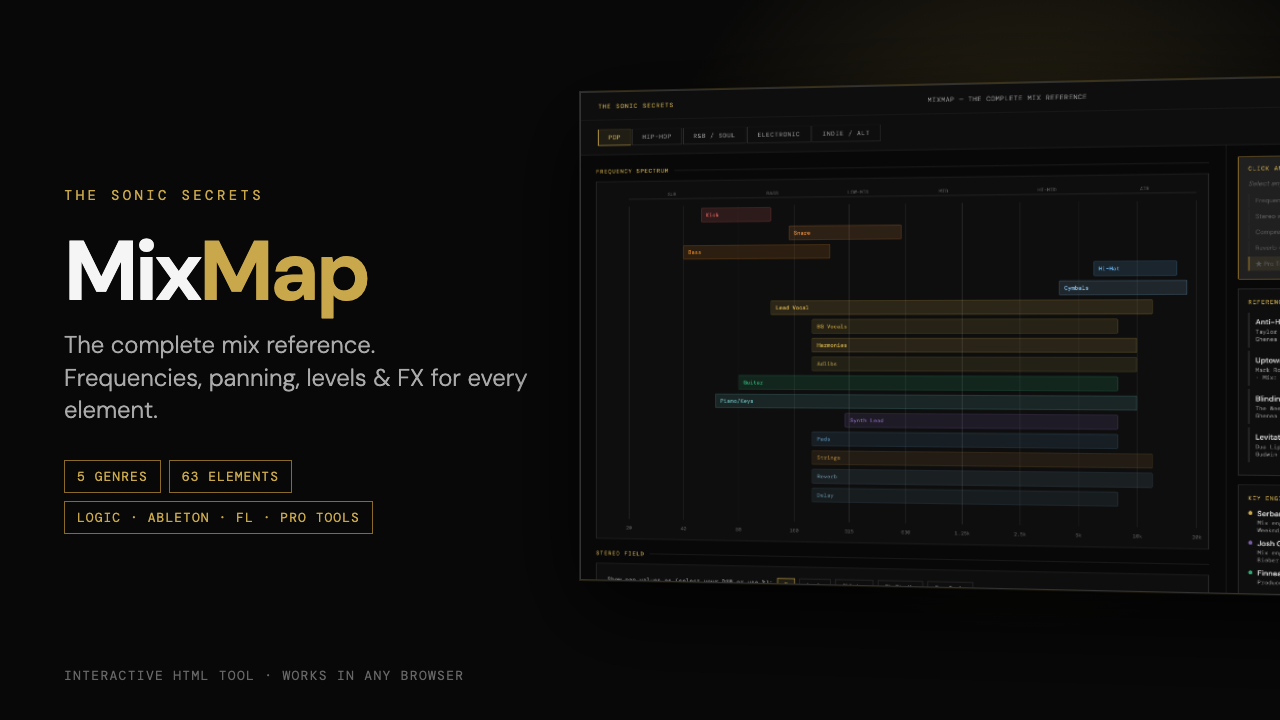
MixMap shows where every element belongs in frequency, stereo field and level, plus the compression, reverb and delay settings for each one. Five genres in one browser tab.
Pick a genre and every element in a typical arrangement is mapped. Click one and you get the full picture for that sound.
Every element plotted from 20 Hz to 20 kHz, so you can see where kick, bass, vocals and pads overlap before they turn to mud.
Pan position and stereo width for each element, shown in the units your DAW uses: Logic, Ableton, FL Studio or Pro Tools.
A starting balance in dB for every element, relative to the lead. A solid rough mix before you touch a plugin.
Compression (ratio, attack, release, threshold), saturation, reverb (type, decay, pre-delay, send) and delay settings.
A technique for each core element, like the parallel snare bus, bass harmonic blend and vocal rider, with plugins to try.
Reference tracks, key engineers and three genre-specific mix rules for each of the five styles.
Each genre has its own arrangement, levels and processing. A trap 808 and a house kick don't get the same treatment, and MixMap doesn't pretend they do.
You finish tracks but they don't sound "finished". MixMap gives you the starting points pros take for granted.
No time for a course. Open the genre, click the element and apply the settings.
Moving from pop to trap or indie? See how the rules change for each style.
A single HTML file. Download it once and open it in Chrome, Safari, Firefox or Edge. No account, no install, and it works offline. Keep it open in a tab next to your DAW.
Any DAW, since the settings are universal. Pan and stereo width values can also be shown in the units of Logic Pro, Ableton Live, FL Studio and Pro Tools.
No. Every element comes with a plain-language explanation of why it sits where it does. The numbers are starting points; trust your ears from there.
The demo shows the Pop map and fully unlocks three elements (Snare, BG Vocals and Pads), so you can see exactly what you get. The full version unlocks all 63 elements across Pop, Hip-Hop, R&B/Soul, Electronic and Indie/Alt, each with compression, saturation, reverb, delay settings and a pro tip.
Yes, the layout adapts to small screens. It works best on a laptop or desktop next to your DAW.
A second interactive tool included with every purchase. It covers mastering for Spotify/YouTube, Apple Music, Club/DJ and CD/Vinyl: how each platform handles loudness, a mastering chain you can click through step by step, typical EQ moves, and true-peak and dynamics guidance.
MixMap is about mixing. For arrangement (which parts play in each section, builds, drops and sound design) see its companion tool, ProductionMap.
Yes. If MixMap isn't useful to you, email contact@thesonicsecrets.com within 30 days of purchase and you'll get a refund.
The settings that take years to learn by trial and error, laid out by genre and by element.
Get MixMap — $19 →